Quick answer: Good restaurant website design answers a hungry visitor’s four questions within seconds on a phone: your menu with prices, a WhatsApp button for orders and table bookings, your Google Maps location and your opening hours. Keep Zomato and Swiggy for discovery, but use your own website to win repeat customers, catering enquiries and direct orders. A simple, fast restaurant site with these basics is enough for most Indian restaurants, cafés and dhabas.
Do you need your own website if you are already on Zomato and Swiggy?
Food delivery apps are excellent at one thing: putting your restaurant in front of hungry people who have not heard of you yet. But the customer on an app belongs to the app. You do not get their phone number, you cannot message them about your new thali or festive menu, and every order carries the platform’s commission and rules.
Your own website does a different job. It is the place regulars, office groups, families planning a birthday and tourists searching on Google land when they want to know more or contact you directly.
| Need | Delivery app | Your own website |
|---|---|---|
| Reach new customers nearby | Strong | Grows slowly through Google search |
| Customer contact details | Usually hidden from you | Customer messages you directly |
| Table bookings, parties, catering | Limited or not offered | Easy enquiry form or WhatsApp |
| Control over menu, photos, story | Platform format | Fully yours |
| Fees per order | Commission and charges apply | No per-order commission on WhatsApp orders |
The smart approach is to use both: apps for discovery, the website for loyalty and bigger orders.
What should restaurant website design include?
Most visitors open a restaurant website on a phone, standing outside or sitting in a car. They want answers in seconds, not an animated intro. Build the home page around these blocks, in roughly this order:
- Name, cuisine and area in one line (for example, “Pure-veg Rajasthani thali in Shastri Nagar”).
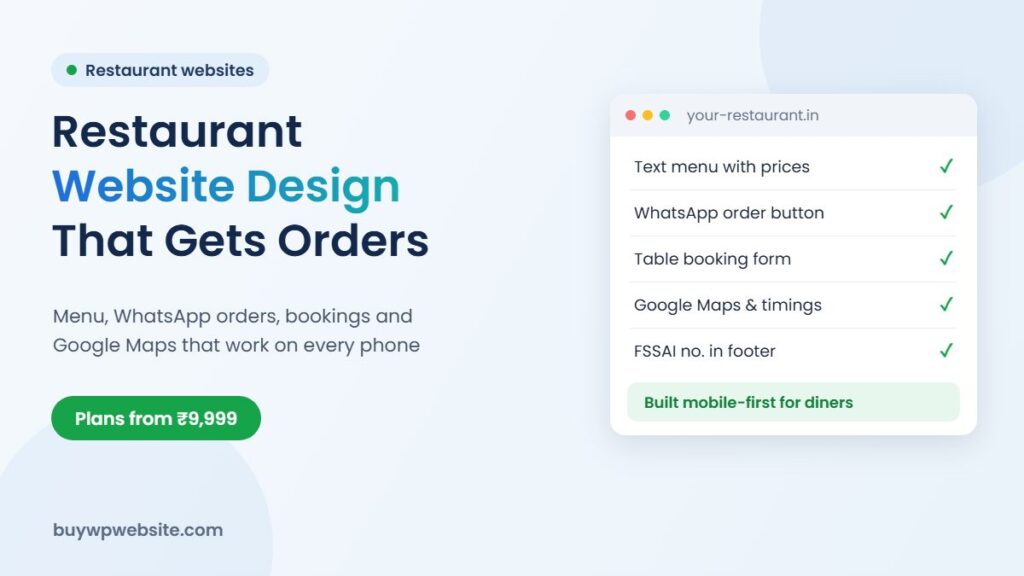
- Call and WhatsApp buttons that stay visible while scrolling.
- Menu with prices, grouped by category, readable on a small screen.
- Timings, including weekly off and kitchen closing time.
- Google Maps embed and a “Get directions” link.
- Photos of real dishes, the dining area and the entrance.
- Party, catering and bulk order section with an enquiry form.
If you are unsure how many pages you need beyond this, our guide on which pages a small business website needs walks through the usual set.
How to put your menu online the right way
The most common mistake is uploading a photo or PDF of the printed menu. It is slow to load on mobile data, hard to zoom, and Google cannot read the dish names inside an image, so you miss searches like “paneer tikka near me” or “dal baati in Ajmer”.
Write the menu as text
Type every dish as text with its price, a short description and a veg or non-veg marker. Group items under clear headings such as Starters, Thalis, Breads, Beverages. Text menus load quickly and can be updated in minutes when prices change.
Add photos only for your best sellers
You do not need a picture for every dish. Six to ten good photos of signature items work better than fifty dark phone snaps. Shoot near a window in daylight, keep the plate clean, and compress the images before uploading so the page stays fast.
Keep prices honest and current
An outdated price creates an argument at the counter. If prices change often, mention “prices may vary; please confirm on WhatsApp” and update the menu whenever you reprint it.
WhatsApp orders and table reservations
For most small restaurants, a full online ordering system with a payment gateway is more than they need at the start. A WhatsApp button that opens a pre-filled message (“Hi, I want to order…”) is simple, familiar to every customer and costs nothing per order.
- Takeaway and delivery orders: customer sends the order on WhatsApp, you confirm the total and time, and they pay by UPI on pickup or delivery.
- Table bookings: a short form asking for name, phone, date, time and number of guests. The enquiry arrives by email and you confirm by call or WhatsApp.
- Parties and catering: a separate form with event date, guest count and budget range, because these are your highest-value orders.
If you later want customers to add dishes to a cart and pay online, that becomes an online store. A cloud kitchen or packaged-food brand selling sweets, namkeen or pickles across India is a better fit for a proper store than a dine-in restaurant.
Showing your FSSAI licence number and other trust details
FSSAI has required food businesses to print their 14-digit licence or registration number on bills and invoices since October 2021. Putting the same number in your website footer and on the “About” page is a simple way to reassure customers, especially for parties, tiffin services and bulk orders where people are trusting you with larger quantities.
Other trust signals that help:
- Pure-veg, Jain food or no-onion-garlic options clearly stated, if you offer them.
- Real photos of your kitchen and staff rather than stock images.
- A link to your Google reviews so people can read genuine feedback.
- Your GSTIN on the contact page if you are registered, which matters to corporate clients.
FSSAI rules on display and labelling are updated from time to time, so check the current requirements on the FSSAI FoSCoS portal or with your food safety officer.
Getting found on Google Maps and local search
When someone searches “best thali near me”, the map results usually appear above ordinary websites. Your Google Business Profile drives that map listing, and your website supports it. Make sure the restaurant name, address and phone number are written exactly the same way on both. Add the website link to your Google profile, embed your map on the contact page, and mention your area and landmark in the page text.
A blog is optional, but a few useful pages such as “Party hall for 50 guests in [your area]” or “Rajasthani thali menu” can pull in searches the apps never will. For help with ongoing ranking work, Webuncles offers local SEO services and Facebook and Instagram advertising for food businesses.
How much does a restaurant website cost in India?
Cost depends on how many pages you need and whether you want online payments. A menu-and-enquiry website is a business website; a site where customers order and pay online is an e-commerce store, which costs more to set up. Our detailed article on website cost in India explains the full range.
| Type of restaurant | What usually fits |
|---|---|
| Single café, dhaba or small restaurant | Business website: home, menu, gallery, contact (Basic plan) |
| Restaurant with banquet or catering | Separate pages for menu, party packages, catering, gallery (Standard plan) |
| Multi-outlet brand | Page per outlet with its own map and timings (Premium plan) |
| Sweets, namkeen or packaged food sold online | WooCommerce online store with payments and shipping |
How BuyWPWebsite can help your restaurant
Our business website plans start at ₹9,999 + GST and already include a mobile-first design, WhatsApp chat, Google Maps, a photo gallery, contact forms with reCAPTCHA, basic on-page SEO and the first year of hosting. Our team sets up your menu, timings and photos, and handles changes during the free maintenance period. If you want customers to pay online, the WooCommerce online store comes with payments and shipping configured. Want to see your design first? A paid design preview is available for ₹999 + GST.
Frequently asked questions
Can customers order food directly from my restaurant website?
Yes. The simplest way is a WhatsApp order button that sends the customer’s order to your phone. If you want a cart and online payment, you need an online store setup instead of a basic website.
Should I upload my menu as a PDF?
It is better to type it as text on the page. Text menus load faster on mobile, are easier to read, and let Google understand your dish names. You can still offer a PDF download as an extra.
Do I need to show my FSSAI number on the website?
FSSAI requires the licence or registration number on bills. Showing it on your website as well is good practice and builds trust. Confirm current display rules on the FSSAI portal.
Will a website stop me using Zomato and Swiggy?
No. Most restaurants use both. Apps bring new customers; your website helps regulars, party bookings and catering clients contact you directly.
Who updates the menu when prices change?
Send us the new prices and our team updates the menu. Changes are free during your plan’s maintenance period; after that, customisation is charged at ₹1,000 per hour.
Facts checked in November 2026. FSSAI requirements: see foscos.fssai.gov.in.