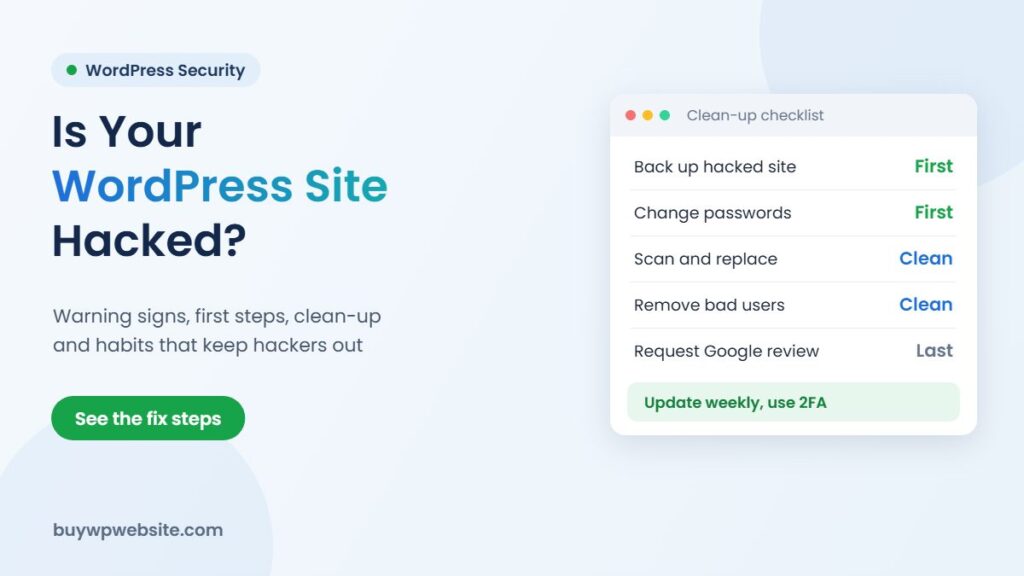
Quick answer: If your WordPress site is redirecting visitors to spam, showing strange pages in Google, or your host has suspended it, treat it as hacked. Do not delete everything in panic. Take a copy of the current site, change every password, find out how the attacker got in, then clean or restore. WordPress malware removal is only half the job; closing the hole that let the attacker in is the other half.
Most hacks on small business sites are not personal. Automated bots constantly scan websites for old plugins, weak passwords and pirated themes. That is good news, because the same simple habits that stop bots also protect you.
Signs your WordPress site may be hacked
- Visitors on mobile are redirected to betting, pharmacy or “you won a prize” pages, often only the first time they visit.
- A Google search for site:yourdomain.com shows pages you never created, sometimes in Japanese or with product spam.
- Chrome shows a red “Deceptive site ahead” or “dangerous site” warning.
- Google Search Console reports a problem under Security issues or Manual actions.
- Your hosting company emails about malware, high resource use or spam being sent from your account.
- New administrator users appear in the dashboard, or you are suddenly locked out.
- Your contact form or email starts sending spam, or customers complain about strange messages from your domain.
One sign alone, such as a slow site, does not prove a hack. Two or more together usually do.
What to do in the first hour
- Stay calm and do not delete files yet. The infected files are evidence of how the attacker got in.
- Take a full backup of the hacked site (files and database) and keep it separate. You may need it to recover content.
- Change all passwords: WordPress admins, hosting panel, FTP or SFTP, database and the email linked to the admin account. Use a different strong password for each.
- Tell your host. Many hosts can show logs, run a malware scan or restore a clean server backup.
- Put up a maintenance page if visitors are being sent to harmful sites, so you protect customers while you fix it.
How WordPress malware removal works
Whether you do it yourself or hire someone, a proper clean-up follows roughly these steps.
Scan and find the infection
Use a security plugin scanner and an external scanner to list modified files, unknown PHP files in the uploads folder, injected scripts in the database and suspicious admin users. Check the .htaccess and wp-config.php files, which are common hiding places.
Replace rather than repair
Replace WordPress core files with a fresh copy of the same version, and reinstall every plugin and theme from the official source. Delete anything you do not use. Never reinstall a “nulled” or pirated premium theme; these frequently carry hidden backdoors.
Clean the database and users
Remove unknown administrators, injected script tags in posts and options, and spam pages. Then generate new security keys (salts) in wp-config.php, which logs everyone out.
Restore from backup if the damage is deep
If you have a clean backup from before the hack, restoring it can be faster than hunting every infected file. Update everything immediately after restoring, or the same hole will be used again.
Ask Google to review the site
Once clean, request a review from the Security issues report in Google Search Console. Warnings are usually removed after the review, but timing is up to Google.
Extra steps if you run an online store
A hacked WooCommerce store needs more care than a brochure site, because customer names, addresses and order details sit in the database. Alongside the clean-up above:
- Check the checkout page source for unfamiliar scripts. Card-skimming code usually hides on checkout.
- Regenerate payment gateway API keys and webhook secrets from the gateway dashboard.
- Review recent orders and coupons for anything odd, such as 100% discount codes you never created.
- If you believe customer data was exposed, take advice on your obligations to inform customers and authorities under Indian law, including CERT-In reporting rules for cyber incidents.
DIY clean-up or hire help?
| Situation | Reasonable approach |
|---|---|
| Small brochure site, recent clean backup, you are comfortable with hosting panels | Restore backup, update all, change passwords |
| Site keeps getting reinfected after cleaning | Get expert help; there is a backdoor you have not found |
| Online store with customer data or payments | Get expert help quickly and inform your payment gateway if you suspect data exposure |
| Google warning or host suspension | Clean first, then request review and reactivation |
How to stop it happening again
- Update weekly. Many hacks use known holes in old plugins and themes that already have a fix.
- Use fewer plugins. Each one is extra code to maintain. Remove what you do not need.
- Strong, unique passwords and two-factor login for every admin account, and limit login attempts.
- Give staff only the role they need. A content writer does not need administrator rights.
- Automatic off-site backups kept for at least a few weeks, so you can go back to a date before the infection.
- Use reputable hosting with a firewall, malware scanning and isolated accounts.
- No pirated themes or plugins, however tempting the price.
If your site is old and hard to update, a rebuild may be cheaper than patching it repeatedly. Our website revamp service moves your content to a fresh, maintained WordPress set-up.
How we can help
If your site has been hacked, message us on WhatsApp or use our contact page with your website address and what you are seeing; we will tell you honestly what is involved. For clean-ups and ongoing care, our parent company Webuncles offers website support and other web services. Every business website we build includes backups and a maintenance period. During it our team applies updates and makes changes for you free of charge; customisation after the maintenance period is charged at ₹1,000 per hour.
Frequently asked questions
Will changing my password remove the malware?
No. It stops the attacker from logging in with the old password, but any backdoor file they planted still works until it is found and removed.
Is a free security plugin enough for WordPress malware removal?
A free scanner is good at finding known problems. It may miss custom backdoors or database injections, so manual checks are still needed after a serious hack.
Why does my site get hacked again after cleaning?
Usually because a backdoor was left behind, an outdated plugin is still installed, or an old password or FTP account was not changed.
How long does it take for the Google warning to disappear?
After you clean the site and request a review in Search Console, Google decides the timing. Make sure the site is fully clean first, because a failed review delays things.
Based on WordPress.org hardening guidance and Google Search Console help documentation. Facts checked in November 2026.