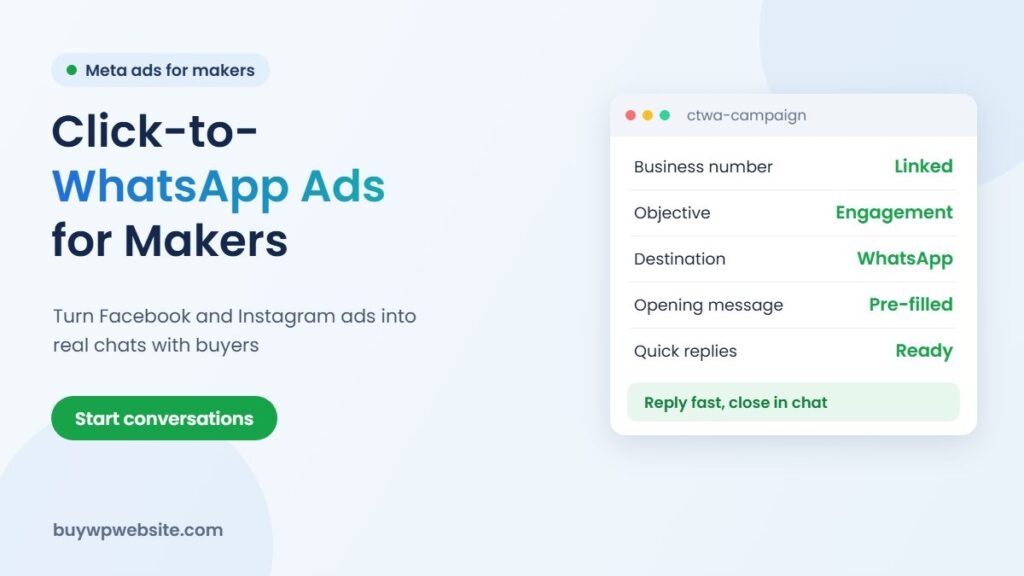
Quick answer: Click to WhatsApp ads are Facebook and Instagram ads that open a WhatsApp chat with your business instead of a web page. For ODOP makers selling sarees, namkeen, jewellery or handicrafts, they work well because many Indian buyers prefer to ask questions before paying. You need a WhatsApp Business number linked to your Facebook Page, a Meta ad account, a clear offer, a pre-filled opening message and someone ready to reply quickly. Send buyers to your website when they are ready to pay or want to see the full range.
Many small units in Rajasthan already sell over WhatsApp: photos go out, buyers ask about price, colour and delivery, and payment happens by UPI. Click to WhatsApp ads simply put more of the right people into that conversation. This guide explains the setup and what makes these campaigns work for district products. It is part of our ODOP scheme guide series.
What click to WhatsApp ads are and when they suit ODOP products
In Meta Ads Manager, the advertiser chooses WhatsApp as the place where the conversation happens. Someone sees the ad in their Facebook or Instagram feed, taps the button, and WhatsApp opens with a message ready to send to your business.
| Works well when | Less suitable when |
|---|---|
| Products need explanation: sizes, custom orders, gifting, bulk | The product is a simple low-price impulse buy |
| Buyers want to see more photos or videos before paying | Nobody is available to reply for hours |
| Orders are high enough value to justify a chat | You need instant self-checkout for many small orders |
| You sell to both retail buyers and resellers | You have no clear offer or price range to share |
What you need before you start
- A WhatsApp Business number. Use the free WhatsApp Business app or the WhatsApp Business Platform (API). Do not use a personal number for ad traffic.
- A Facebook Page with your WhatsApp Business number linked in the Page settings under linked accounts.
- A Meta ad account with a payment method, and admin access to the Page.
- An Instagram professional account connected to the same Page if you want Instagram placements.
- A product catalogue in WhatsApp Business with photos, prices or price ranges, and short descriptions.
Setting up click to WhatsApp ads step by step
- In Ads Manager, create a campaign with the Engagement objective (Meta’s menus change, so look for the option that lets you choose messaging apps as the destination).
- At the ad set level, choose WhatsApp as the conversion location and select your linked number.
- Set audience: locations you deliver to, age range and interests related to your product, such as ethnic wear, home décor or gifting.
- Choose placements. Feeds on Facebook and Instagram are a good start.
- Create the ad: real product photos or a short video, a clear headline, and a Send WhatsApp Message button.
- Write the opening message the buyer will send, for example “Hi, I saw your Kota Doria sarees ad. Please share colours and prices.” This tells you which ad the chat came from.
- Preview, publish and wait for Meta’s ad review.
Creative ideas that start the right chats
Show the making, not just the product
A short clip of a Thewa artisan at work, block printing or stone carving builds trust that a studio shot cannot. Keep it real and simple.
Make the offer specific
“New festive Kota Doria sarees, ask for the catalogue on WhatsApp” works better than “Best quality products”. Mention who it is for: gifting, weddings, retailers, hotels.
Answer the obvious questions in the ad
State the price range, delivery areas and whether you take bulk or custom orders. This filters out chats that will never convert.
Follow ad rules for food and claims
For namkeen, spices or mustard oil, avoid health claims you cannot prove. Meta reviews ads against its advertising standards, and food labels must also follow FSSAI rules.
Handling chats so they turn into orders
The ad only starts the conversation; the reply closes the sale. Set up the WhatsApp Business app properly:
- Write a greeting message and quick replies for common questions: price list, delivery time, payment methods, return policy.
- Use labels such as “new enquiry”, “quote sent”, “paid” and “dispatched” to keep track.
- Reply within minutes during business hours. Slow replies waste ad spend.
- Send a link to the exact product page on your website for buyers who want to see more or pay online.
- Ask happy buyers if you can share their feedback, and keep a record of who agreed.
If you plan to scale, the WhatsApp Business Platform with a shared inbox or CRM lets more than one person handle chats. Meta has a free messaging window for conversations that start from these ads on the platform; check Meta’s current pricing before relying on it.
Measuring what the ads really earn
Ads Manager reports how many conversations each ad started, but not how many became paid orders. Close that gap yourself. Use a different opening message for each ad, so you can see which one a chat came from, and keep a simple daily sheet: chats received, quotes sent, orders paid and order value. After two or three weeks, compare cost per paid order across ads. Pause ads that bring many chats but few sales, and put the budget behind the creatives and audiences that produce actual buyers.
Where your website fits in
WhatsApp is good for conversation but poor for browsing a full range, building trust with new buyers or appearing in Google searches. A website with a product catalogue and a WhatsApp button gives buyers somewhere to check you are genuine and to order without waiting. Our guide to selling ODOP products online covers how WhatsApp, marketplaces and your own store fit together.
How we can help
A BuyWPWebsite business website (from ₹9,999 + GST) includes a WhatsApp chat button, product gallery and enquiry forms, so ad traffic has somewhere credible to land. If you want buyers to pay online, a WooCommerce store adds checkout and shipping. Webuncles also runs Facebook and Instagram advertising for businesses that would rather not manage campaigns themselves.
ODOP technology partner
The scheme supports your business. We build the technology behind it.
From your first website to marketing and business software, one team handles the digital side of your ODOP business, so you can focus on making your product.
- Online store or business website
- Logo, packaging, label, brochure and flyer design
- Product cataloguing for your website and marketplaces
- SEO, Google Ads and Meta (Facebook & Instagram) Ads
- ERP, CRM, billing and finance software
Proper paperwork: a written quotation before we start and a GST invoice (bill) for the work we deliver — the documents your DIC usually asks for with a claim.
Chat on WhatsApp See website plans
More help: ODOP scheme guide · Rajasthan ODOP policy & subsidies · All ODOP guides
Please note: ODOP subsidies, grants and reimbursements are approved and paid only by the government, through your District Industries & Commerce Centre (DIC) or the scheme's official portal. BuyWPWebsite and Webuncles are private technology service providers, not a government office or agent. We cannot approve, guarantee, refund or reimburse any scheme amount, and our fees are for the work we deliver, payable as per our terms whether or not a claim is approved. Scheme rules change; please confirm the current rules with your DIC before you spend.
Frequently asked questions
Can I run click to WhatsApp ads with my personal WhatsApp number?
No. You need a WhatsApp Business app number or a WhatsApp Business Platform number linked to your Facebook Page.
Do click to WhatsApp ads work on Instagram?
Yes, if your Instagram professional account is connected to the same Facebook Page that is linked to your WhatsApp Business number.
How much should I spend on click to WhatsApp ads?
Start with a small daily budget you can keep for a few weeks, track how many chats turn into orders, and increase spend only on ads that sell.
Do I still need a website if I sell on WhatsApp?
It helps. A website lets new buyers verify your business, browse your full range and find you on Google, which WhatsApp alone cannot do.
Sources: Meta Ads Manager and WhatsApp Business documentation. Facts checked in November 2026.