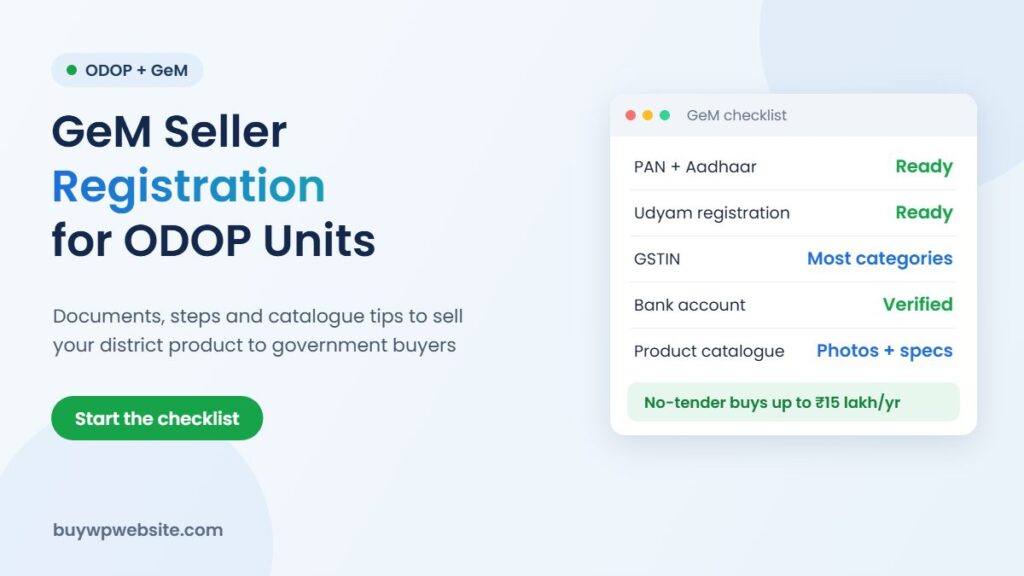
Quick answer: GeM seller registration is done online at gem.gov.in using your PAN or Aadhaar, followed by a business profile, bank and tax details, and a product catalogue. For ODOP units in Rajasthan it is worth the effort: the state’s ODOP Policy 2024 lets departments buy up to ₹15 lakh a year from empanelled ODOP MSMEs without a tender, through E-Bazaar or GeM. Registration is the first step; empanelment and approval come from the state.
If you are still learning how ODOP works, read our ODOP scheme guide first. This post focuses only on selling to government buyers.
What is GeM and why should an ODOP unit care?
Government e Marketplace (GeM) is the central government’s online procurement portal. Central ministries, state departments, PSUs and many local bodies use it to buy goods and services. For a small unit making a district product, it opens a buyer group that is hard to reach any other way: offices, hostels, hospitals and government guest houses that need furniture, textiles, food products, stone, spices or gifts.
The Ministry of Commerce has told Parliament that ODOP products get forward market linkages on GeM through its “vocal for local” outlet stores, alongside other special seller groups. In other words, there is already a shop window for district products; your job is to get listed properly.
Rajasthan’s ₹15 lakh no-tender rule for ODOP MSMEs
Among the non-financial benefits of the Rajasthan ODOP Policy 2024, state departments may buy up to ₹15 lakh a year from empanelled ODOP MSMEs without going through a tender, using E-Bazaar or GeM. What this means in practice:
- The rule is a permission for buyers, not an order guarantee. A department still has to choose your product.
- You need to be empanelled as an ODOP MSME. Ask the District Industries & Commerce Centre (DIC) how empanelment works for your district product.
- A complete GeM profile and a clean catalogue make it easy for a buyer to say yes.
Policy details can change during the policy period (valid till 31 March 2029), so confirm the current procedure with your DIC.
Documents you need for GeM seller registration
| Document | Why it is needed | Common problem |
|---|---|---|
| PAN of the business or proprietor | Identity and tax verification | Name spelt differently from bank records |
| Aadhaar linked to current mobile | OTP-based login and verification | Old mobile number linked to Aadhaar |
| Udyam registration | Proves MSME status; GeM is integrated with the Udyam database | Wrong NIC code for your product |
| GSTIN | Required for most product categories | Returns not filed regularly |
| Bank account details | Payments from buyers | Account not in the business name |
| Income tax returns | Used for vendor details and turnover checks | Turnover in ITR does not match what you declare |
Make sure the name, address and PAN are exactly the same on Udyam, GST and the bank account. Most delays on GeM come from small mismatches.
GeM seller registration: step by step
- Sign up: on gem.gov.in, choose seller registration and enter PAN or Aadhaar details. Verify with OTP and pick your organisation type (proprietorship, partnership, company and so on).
- Create the admin user: this account controls your profile, so use a business mobile number and email that will not change.
- Complete the profile: business details, office and factory addresses, bank account, tax details and MSME information. Aim for a 100% complete profile.
- Caution money: GeM asks most sellers for a refundable caution money deposit. As per the Commerce Ministry’s reply in Parliament, micro and small enterprises and women-led businesses are among those exempted, so check whether your Udyam status qualifies.
- Add products: choose the right category, then add your catalogue with specifications, photos, price, stock and delivery areas.
- Respond to orders and bids: watch your dashboard and email for direct purchase orders, bids and buyer queries, and reply within the deadlines shown.
GeM screens change from time to time. If a step looks different, use the training material on the GeM learning portal or ask your DIC’s ODOP help desk.
How to make an ODOP product catalogue that sells on GeM
A government buyer compares listings side by side, often without seeing the product. Your catalogue has to do the talking:
- Exact specifications: size, weight, material, fabric count or grade. Vague listings get skipped.
- Clean photos: plain background, several angles, and a photo showing scale.
- Certifications: BIS, FSSAI, ISO or ZED where relevant. Under clause 7.3 of the Rajasthan ODOP policy, certification costs may be supported at 75% up to ₹3 lakh, one time, subject to approval.
- Realistic delivery: only list districts you can actually serve on time. Late delivery hurts your rating.
- Honest pricing: GeM shows comparable prices to buyers, so a fair price with good specs beats an inflated one.
Common GeM mistakes small sellers make
- Paying agents large fees for registration you can do yourself in an afternoon
- Listing in the wrong category, so buyers never see the product
- Accepting an order without checking delivery terms, inspection and payment timelines
- Ignoring the dashboard for weeks and missing bid deadlines
Why a website still matters when you sell on GeM
Before placing an order, many officers search the seller’s name on Google. A simple website with your factory photos, certificates, product range and contact details builds confidence that you are a real, capable supplier. It also helps you win private buyers and other channels; see our guide to selling ODOP products online for the full picture.
How BuyWPWebsite can help ODOP sellers
We do not register you on GeM or arrange government orders; that is between you, GeM and the department. What we do is build the website that backs up your listing. Our business website plans start at ₹9,999 + GST and include a product catalogue, gallery, enquiry forms and Google Maps. Clause 7.8 of the policy offers a one-time 60% reimbursement up to ₹75,000 for an e-commerce website or cataloguing, subject to DIC approval. For larger needs such as order and inventory tracking, Webuncles also offers ERP solutions.
ODOP technology partner
The scheme supports your business. We build the technology behind it.
From your first website to marketing and business software, one team handles the digital side of your ODOP business, so you can focus on making your product.
- Online store or business website
- Logo, packaging, label, brochure and flyer design
- Product cataloguing for your website and marketplaces
- SEO, Google Ads and Meta (Facebook & Instagram) Ads
- ERP, CRM, billing and finance software
Proper paperwork: a written quotation before we start and a GST invoice (bill) for the work we deliver — the documents your DIC usually asks for with a claim.
Chat on WhatsApp See website plans
More help: ODOP scheme guide · Rajasthan ODOP policy & subsidies · All ODOP guides
Please note: ODOP subsidies, grants and reimbursements are approved and paid only by the government, through your District Industries & Commerce Centre (DIC) or the scheme's official portal. BuyWPWebsite and Webuncles are private technology service providers, not a government office or agent. We cannot approve, guarantee, refund or reimburse any scheme amount, and our fees are for the work we deliver, payable as per our terms whether or not a claim is approved. Scheme rules change; please confirm the current rules with your DIC before you spend.
Frequently asked questions
Is there a fee for GeM seller registration?
GeM does not charge a registration fee for sellers. Some sellers must place a refundable caution money deposit, and micro and small enterprises are among the groups exempted. Check the current rule on gem.gov.in.
Can a proprietorship firm register on GeM?
Yes. Proprietorships, partnerships, LLPs and companies can all register. The proprietor’s PAN and Aadhaar are used for a proprietorship.
Does GeM registration guarantee orders under the ₹15 lakh rule?
No. The rule allows departments to buy from empanelled ODOP MSMEs without a tender up to ₹15 lakh a year. Orders still depend on buyers choosing your product and on your empanelment with the state.
Do I need GST to sell on GeM?
Most product categories need a GSTIN. If your turnover is below the GST threshold, check the category rules on GeM before you list.
Sources: Rajasthan ODOP Policy 2024; Ministry of Commerce reply to Lok Sabha Unstarred Question 4953 (1 April 2025); gem.gov.in. Facts checked in November 2026.