
Quick answer: The right GST billing software for a small manufacturer is the one that produces correct GST invoices with HSN codes, handles e-way bills and (if your turnover requires it) e-invoices, tracks raw material and finished stock, and exports data your CA can use for returns. Shortlist two or three options, test them with a week of your real bills, and check support in Hindi and data backup before you pay.
Many ODOP units in Rajasthan still bill from a notebook or a spreadsheet. That works until GST returns, a bank loan file or a subsidy claim needs clean records. This guide explains what to look for. For the bigger question of ERP and CRM systems, see our hub on ERP and CRM software for ODOP units, and for the scheme basics, the ODOP scheme guide.
What a small manufacturer needs from billing software
A trader mostly buys and sells the same item. A manufacturer buys raw material, converts it, and sells something different. Your software should follow that flow:
- Purchase entry of raw material with supplier GSTIN, so input tax credit matches your GSTR-2B.
- Sales invoices with correct HSN codes, tax rates, place of supply and CGST/SGST or IGST split.
- Stock in two forms: raw material and finished goods, ideally with a simple bill of materials so stock reduces when you record production.
- Delivery challans for goods sent out without a sale, such as to a job worker or on approval.
- Reports your CA can use directly for GSTR-1 and GSTR-3B.
GST rules your GST billing software must handle
Tax invoice basics
A GST tax invoice must carry details such as your GSTIN, a serial number, date, buyer details (and GSTIN for B2B), HSN code, taxable value, rate and amount of tax, and place of supply. Businesses with aggregate turnover up to ₹5 crore must show at least 4-digit HSN codes on B2B invoices; above ₹5 crore, 6 digits. Good software fills these from your item master so you do not type them each time.
E-invoicing
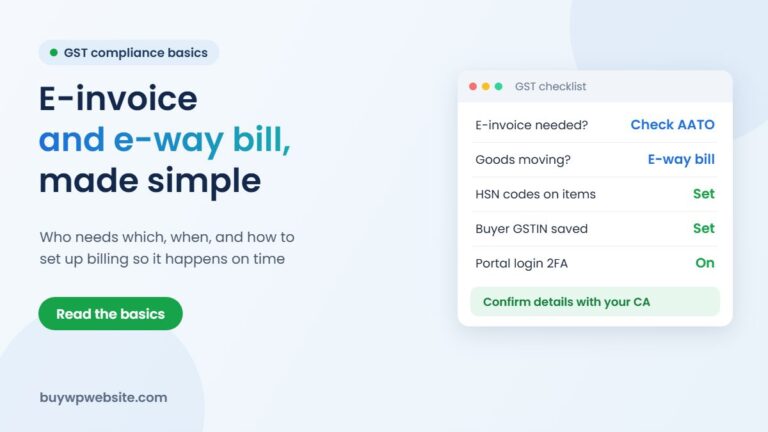
E-invoicing (generating an IRN from the government's Invoice Registration Portal) is mandatory for B2B invoices when your aggregate annual turnover in any year from 2017-18 exceeds ₹5 crore. Since April 2025, businesses with turnover of ₹10 crore or more must report e-invoices within 30 days of the invoice date. If you are near these limits, choose software with direct e-invoice integration.
E-way bills
If you send goods worth more than ₹50,000 in one consignment between states, you generally need an e-way bill; intra-state limits vary by state. Software that creates the e-way bill from the invoice saves a second round of typing.
Composition dealers
If you are under the composition scheme, you issue a bill of supply and cannot charge GST. Make sure the software supports this format.
Comparing types of billing software
| Type | Examples (not endorsements) | Suits | Watch out for |
|---|---|---|---|
| Desktop accounting | Tally, Busy, Marg | Units with a regular accountant, many items, offline work | Backup discipline; licence per computer |
| Cloud accounting | Zoho Books and similar | Owners who want access from phone and office | Internet dependence; per-user pricing |
| Mobile billing apps | Vyapar, myBillBook and similar | Very small units, quick invoices on the go | Limited manufacturing and job-work features |
| ERP | Industry ERPs or custom systems | Multi-stage production, dealers, larger teams | Cost and set-up time |
Prices and features change often, so compare current plans directly with each vendor. Ask specifically whether the plan you are buying includes e-invoice, e-way bill and multi-godown stock, because these are sometimes in higher tiers.
Questions to ask before you buy
- Does it support a bill of materials or at least manual production entries?
- Can it record goods sent to and received from job workers with challans?
- Does it export GSTR-1 data in a format my CA accepts?
- Can two people use it at once (owner and accountant)?
- Where is my data stored and how do I back it up or export it if I switch?
- Is support available in Hindi, by phone, during my working hours?
- What does the plan cost in year two, not just the first-year offer?
Run a trial with real data: enter one week of purchases, a production batch and five sales invoices. If your accountant finds it confusing, it will not be used properly.
Setting it up properly in the first month
Most problems with billing software come from a rushed set-up, not from the software itself. Spend the first few weeks on the basics:
- Item master: create each raw material and finished product once, with unit, HSN code and tax rate. Avoid duplicates like “Marble slab” and “marble slab 2”.
- Party master: enter customers and suppliers with correct GSTIN and state, so the software picks CGST/SGST or IGST automatically.
- Opening stock: count physical stock on one date and enter it, otherwise every stock report afterwards will be wrong.
- Invoice series: decide one numbering series per financial year and do not restart it mid-year.
- Roles: give your accountant and sales staff only the access they need, and keep deleting rights with the owner.
Can ODOP support help with software costs?
Clause 7.2 of the Rajasthan ODOP Policy 2024 provides 50% assistance, up to ₹5 lakh, for technology and software, when obtained through Government of India or Government of Rajasthan institutes. A simple off-the-shelf billing app may not fit this route, so ask your District Industries & Commerce Centre which vendors and costs qualify before you buy. Any assistance is subject to approval.
Connecting billing to your website and online orders
Once you sell online, orders from your website should not be typed into billing software by hand. WooCommerce can export orders, and many accounting tools have integrations or connectors that bring online orders, customers and payments across. Plan this early so your invoice numbering and stock stay in one place.
Our WooCommerce online store is a good base for this, and for units that only need a catalogue and enquiries, our business websites start at ₹9,999 + GST. When you need billing, stock and production in one system, the Webuncles team builds ERP solutions sized for small manufacturers.
ODOP technology partner
The scheme supports your business. We build the technology behind it.
From your first website to marketing and business software, one team handles the digital side of your ODOP business, so you can focus on making your product.
- Online store or business website
- Logo, packaging, label, brochure and flyer design
- Product cataloguing for your website and marketplaces
- SEO, Google Ads and Meta (Facebook & Instagram) Ads
- ERP, CRM, billing and finance software
Proper paperwork: a written quotation before we start and a GST invoice (bill) for the work we deliver — the documents your DIC usually asks for with a claim.
Chat on WhatsApp See website plans
More help: ODOP scheme guide · Rajasthan ODOP policy & subsidies · All ODOP guides
Please note: ODOP subsidies, grants and reimbursements are approved and paid only by the government, through your District Industries & Commerce Centre (DIC) or the scheme's official portal. BuyWPWebsite and Webuncles are private technology service providers, not a government office or agent. We cannot approve, guarantee, refund or reimburse any scheme amount, and our fees are for the work we deliver, payable as per our terms whether or not a claim is approved. Scheme rules change; please confirm the current rules with your DIC before you spend.
Frequently asked questions
Is GST billing software compulsory?
No law requires a particular software. But e-invoicing, e-way bills and accurate returns are much easier with software, and e-invoicing of B2B invoices is mandatory once your aggregate turnover in any year since 2017-18 crosses ₹5 crore (some sectors are exempt).
Can I use free billing software?
Free or basic plans can work for very small units. Check limits on invoices, users and items, and confirm you can export all your data if you later move to a paid tool.
Does my billing software need to show HSN codes?
Yes. B2B invoices need at least 4-digit HSN codes if your turnover is up to ₹5 crore, and 6 digits above that. Set them correctly in the item master once.
Can billing software file my GST returns?
Many tools prepare return data or file through GST Suvidha Providers, but your CA should still review it before filing. Wrong HSN or tax rates in invoices flow straight into returns.
Facts checked in November 2026. GST thresholds and rules change; confirm with your CA. ODOP assistance is subject to approval by your DIC.