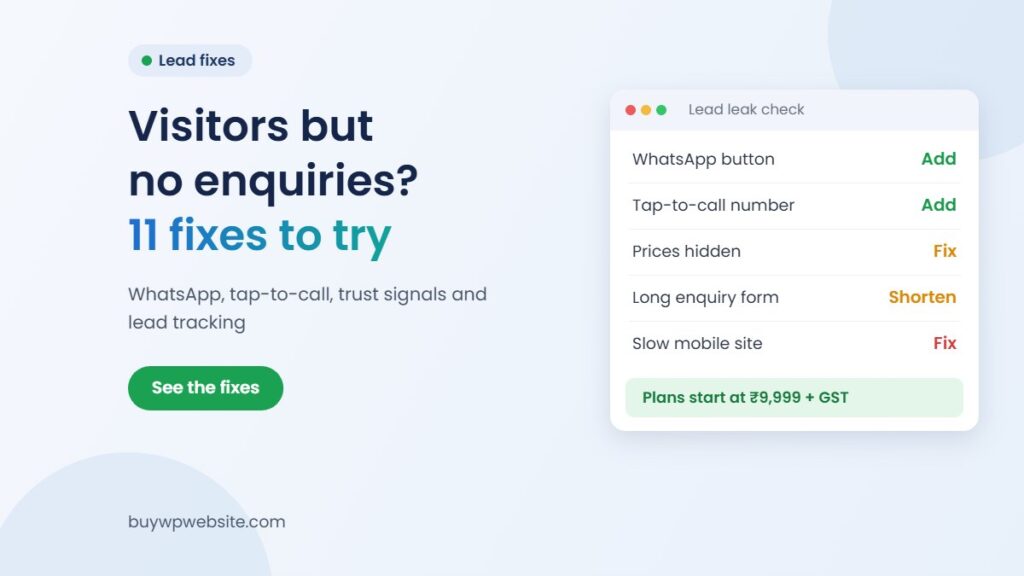
Quick answer: A website not generating leads despite getting visitors usually has one of three problems: visitors cannot see what you offer, they do not trust you enough, or contacting you takes too much effort. For most Indian small businesses, the first fixes are a WhatsApp button, a tap-to-call number, a clear offer at the top, real trust signals and a faster mobile site. Below are 11 fixes and the effort each one takes.
Why is your website not generating leads?
Start by checking which problem you actually have. A website with almost no visitors has a visibility problem, and that needs a different fix. If that sounds like you, read our guide on why your website is not showing on Google first.
If people do visit but nobody calls, fills a form or sends a WhatsApp message, the problem is on the page itself. Open your site on a phone and ask three questions in the first five seconds:
- Can I tell what this business sells and where it works?
- Do I have a reason to believe this business is real and reliable?
- Can I contact them with one tap, without hunting for a number?
If any answer is “no”, you have found your leak.
Fixes 1 to 4: make it easy to contact you
1. Put a clear offer above the fold
The first screen on a phone should say what you do, for whom and where. “Welcome to our website” tells the visitor nothing. “AC repair and servicing in Jaipur, same-week visits” tells them they are in the right place.
Add one main button under it, such as “Get a quote on WhatsApp”. One clear action works better than five competing links.
2. Add a WhatsApp click-to-chat button
Many customers in India find it easier to send a WhatsApp message than to fill a form. WhatsApp’s official click to chat help page explains the link format: wa.me followed by your full number with country code, without a plus sign, zeros, brackets or dashes.
You can also add a pre-filled message, so the customer only has to tap send. For example, “Hi, I want a quote for kitchen interiors”. Place the button in the header and as a floating icon on mobile.
3. Make your phone number tap-to-call
A phone number written as plain text, or worse, inside an image, cannot be tapped. Link it so that one tap opens the dialler. Put it in the header and footer, with your working hours.
4. Show prices or a “starting from” figure
Visitors who see no price often assume you are expensive and leave. A simple “Packages starting from ₹X” or a price range for common jobs filters out wrong-fit enquiries and gives serious buyers the confidence to message you.
Fixes 5 to 7: give visitors a reason to trust you
5. Add real trust signals
People in India are careful about paying unknown businesses online. Show proof that you exist and do good work:
- Your full address with a map, and a landline or office number if you have one
- Your GST number in the footer, if you are registered
- Real photos of your shop, team, factory or completed work, not stock images
- Real reviews from customers, with their name and city, or a link to your Google reviews
- Years in business, certifications and brands you are authorised for, only if true
6. Speed up the mobile site
Many of your visitors are likely to be on phones, often on patchy mobile data. A page that takes too long to load loses them before they see your offer. Test your main pages in Google’s PageSpeed Insights, which reports on both mobile and desktop performance and suggests improvements.
Common culprits on WordPress sites are oversized images, heavy sliders, too many plugins and cheap shared hosting. Compress images, remove sliders you do not need and drop unused plugins.
7. Remove popups that block the page
A full-screen popup that opens instantly annoys visitors, especially on mobile where closing it is fiddly. If you need one, delay it and make the close button easy to tap.
Fixes 8 to 11: get the right visitors and catch every lead
8. Check if you are getting the wrong traffic
Not all visitors are buyers. A Jaipur plumber getting visits from other states, or a manufacturer ranking for “what is” questions from students, will see traffic but few enquiries. Check where your visitors come from and which search terms bring them.
Then write pages for buyer searches: your service plus your city, your product plus “price” or “supplier”. Our guide on how many pages a small business website needs explains which ones to start with.
9. Cut your enquiry form down
Every extra field gives a visitor one more reason to stop. For most small businesses, name, phone number and a short message are enough. Ask the rest later on the phone or WhatsApp. Also check that the form actually works and that the enquiry email reaches an inbox someone reads.
10. Follow up fast
A lead that waits a day can easily go to a competitor who replied sooner. Decide who answers website enquiries, keep saved replies ready for common questions and reply within working hours. If you cannot reply instantly, say on the site when you will.
11. Track your leads
In Google Analytics 4, set up events for the actions that matter, such as WhatsApp button clicks, call button clicks and form submissions. Google’s help page on how to mark events as key events in GA4 shows how to star an event so it is counted as a key event.
For phone calls, the simplest method is to ask every caller “How did you find us?” and note it down. Businesses spending on ads can use a separate phone number on the website to see how many calls come from it.
Effort level of each fix: where to start
Start with the low-effort fixes. Many need only a few hours of work.
| Fix | Effort | What it takes |
|---|---|---|
| Clear offer above the fold | Low | Rewrite the top headline and one button |
| WhatsApp click-to-chat button | Low | Add a wa.me link with a pre-filled message |
| Tap-to-call number | Low | Link your number in header and footer |
| Prices or “starting from” | Low | Decide a starting price and add it |
| Shorter enquiry form | Low | Remove fields, test the form |
| Remove blocking popups | Low | Turn off or delay the popup |
| Trust signals | Medium | Collect photos, reviews, GST and address details |
| Faster follow-up | Medium | Assign a person and set saved replies |
| Lead tracking in GA4 | Medium | Set up click events and mark key events |
| Faster mobile site | Medium to high | Compress images, cut plugins, better hosting |
| Fix wrong traffic | High | New service and city pages, ongoing SEO |
When is a website revamp better than small fixes?
Small fixes work when the base is sound. A website revamp makes more sense if your site is not mobile friendly, the theme is too old to update safely or every change breaks something.
Also look at how the site was built. Our comparison of a website designer vs a website builder explains why some DIY sites are hard to improve beyond a point. If you need ongoing traffic through SEO, Google Ads or social media after the fixes, Webuncles offers digital marketing services for that.
How BuyWPWebsite can help
If your current site needs more than a few tweaks, we can redesign your existing website through our website revamp service. If you are starting fresh, the Business website plan includes design, hosting, domain, SSL and maintenance in one annual package.
- Basic: ₹9,999 + GST, 5 pages, about 4 working days
- Standard: ₹14,999 + GST, 15 pages, about 7 working days
- Premium: ₹24,999 + GST, 40 pages, about 12 working days
When we design your site, you can ask for the fixes from this guide, such as a WhatsApp button, tap-to-call and a clear offer section. Changes are free during your plan’s maintenance period. If you want to see the design before you buy, you can order a ₹999 + GST design preview.
Not sure what is stopping your enquiries? Send your website link on WhatsApp and tell us what is not working. We will tell you honestly whether small fixes or a revamp makes more sense. We cannot promise a number of leads.
Frequently asked questions
Why is my website getting traffic but no leads?
Usually visitors cannot quickly see what you offer, do not trust the site enough, or find it hard to contact you. Check the first screen on mobile, add a WhatsApp button and tap-to-call, and show real proof such as photos, address and reviews.
How can I get more enquiries from my website?
Make contacting you a one-tap action, show a clear offer and a starting price, add trust signals, speed up the mobile site and reply to every enquiry quickly. Then track WhatsApp clicks, calls and form submissions so you know which changes work.
Is a WhatsApp button better than a contact form?
For most Indian small businesses, WhatsApp is easier for customers, especially on mobile. Keep a short form too, for people who prefer email or contact you outside working hours. Use a pre-filled message so the customer only has to tap send.
How do I track leads from my website?
Set up events in Google Analytics 4 for WhatsApp clicks, call clicks and form submissions, then mark them as key events. For phone calls, ask callers how they found you, or use a separate number on the website.
Should I show prices on my business website?
Showing a price range or a “starting from” figure usually helps, because visitors who see no price may assume you are expensive. It also filters out enquiries that do not fit your budget range. You can still give exact quotes after understanding the job.
Do I need a new website or can I fix the old one?
If the site is mobile friendly and easy to edit, small fixes are often enough. If it is slow, outdated, hard to update or not mobile friendly, a revamp is usually the better use of money.