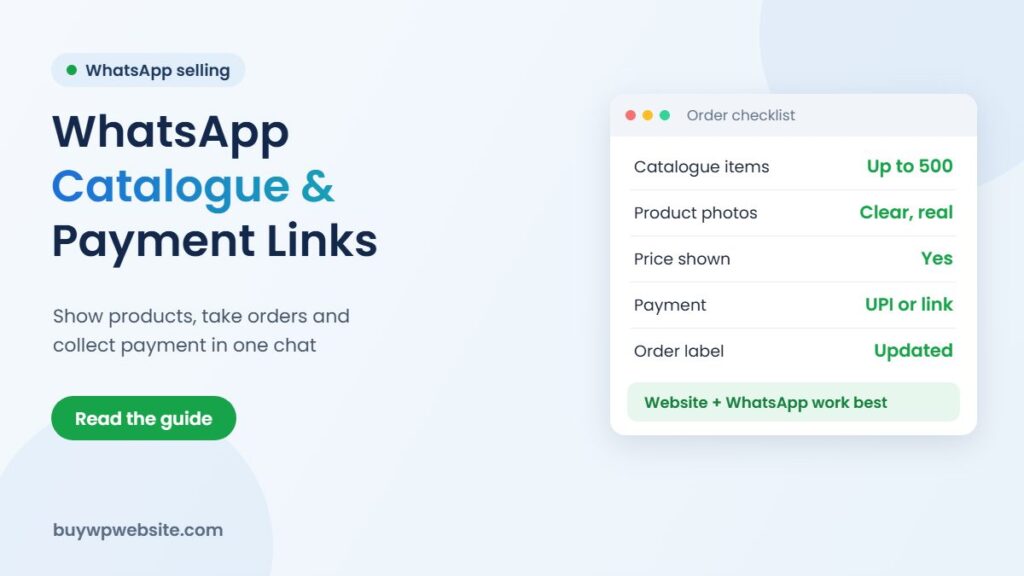
Quick answer: A WhatsApp Business catalogue lets you show your products with photos, prices and short descriptions inside the free WhatsApp Business app, so a buyer can browse, add items to a cart and send you the order without leaving the chat. Add a payment link from your payment gateway or a UPI QR code and you can close the sale in the same conversation. For an ODOP unit, the whatsapp business catalogue works best as a quick order channel next to a proper website, not as a replacement for one.
Most small manufacturers in Rajasthan already sell on WhatsApp in some form: a buyer asks for photos, the owner forwards ten pictures, the rates are typed out by hand and the payment screenshot comes later. It works, but it is slow and easy to mix up. This guide shows how to turn that habit into a tidy system. It is part of our series on the ODOP scheme and builds on our hub on selling ODOP products online.
What a WhatsApp catalogue does, and what it doesn’t
The catalogue is a product list attached to your WhatsApp Business profile. Anyone who opens your profile can see it, and you can share a single item or the whole catalogue as a link in any chat, group or status. WhatsApp allows up to 500 items in the app version, which is more than enough for most ODOP units.
What it does well:
- Gives repeat buyers and dealers one place to see what you make, instead of scrolling back through old photos.
- Lets a customer build a cart and send it to you as one message, so quantities and item names arrive clearly.
- Works on the phone you already use, with no monthly fee for the app itself.
What it does not do: it does not collect payment on its own, it does not calculate GST or shipping, it does not keep stock counts, and it is invisible to people searching on Google. A buyer who has never heard of you cannot find your catalogue unless you send it to them.
How to set up a WhatsApp Business catalogue
You need the WhatsApp Business app (separate from regular WhatsApp) on a number you are happy to share publicly. Menu names change a little between app versions, but the steps are broadly these:
- Complete your business profile first: business name, category, address, working hours, a short description and your website link.
- Open the business tools section and choose Catalogue.
- Add an item: upload photos, then enter the name, price, description, a link and an item code.
- Group items into collections, for example “Sarees”, “Dupattas” and “Fabric by the metre”, so buyers don’t scroll through everything.
- Share the catalogue link on your status, in your email signature and on your visiting card QR code.
New items can take a short while to appear while WhatsApp reviews them against its commerce policy, so do not upload your festive range the night before you want to promote it.
Writing product entries that answer buyer questions
Every question a buyer has to ask is a moment where they might lose interest. Fill each field so the common questions are already answered.
| Field | What to put in it | Example (Kota Doria saree) |
|---|---|---|
| Name | Product type + key feature, not just a design number | Kota Doria cotton-silk saree, zari border |
| Price | The price a retail buyer pays; say if GST or shipping is extra | Price incl. GST, shipping extra |
| Description | Material, size or weight, care, dispatch time, minimum order for dealers | 5.5 m with blouse piece, dry clean, ships in 3 working days |
| Photos | Front, close-up of texture, one in use; plain background, daylight | Full drape, border close-up, fall of the fabric |
| Item code | Your own SKU so orders match your billing software | KD-SLK-014 |
| Link | The same product page on your website | Product page URL |
If you sell to both retail buyers and dealers, keep the catalogue at retail price and send dealer rates as a separate PDF price list. Mixing the two in one catalogue confuses both audiences.
Taking payment: UPI, payment links and cash on delivery
Once the cart arrives, you need a clean way to collect money. Each option suits a different buyer.
| Method | How it works | Good for | Watch out for |
|---|---|---|---|
| UPI QR or UPI ID | You send your business QR; buyer pays from any UPI app | Small retail orders, known buyers | Matching payments to orders by hand; ask for the UTR number |
| Payment link from a gateway | You create a link for the exact amount in your gateway dashboard and paste it in the chat | New buyers, card or net-banking payers, larger orders | Gateway fees; check the rate in your own gateway agreement |
| Cash on delivery | Courier collects cash and remits it to you later | First-time buyers who don’t trust prepaid | Higher return risk and delayed money |
| Bank transfer with proforma invoice | You send a proforma invoice; buyer pays by NEFT or RTGS | Dealers and bulk orders | Dispatch only after the money is credited, not after a screenshot |
Payment links are worth setting up even if most of your buyers use UPI. A link shows your registered business name, carries a fixed amount and an order reference, and the gateway confirms the payment to you directly. That removes the most common WhatsApp-selling problem: a forwarded screenshot that turns out to be for someone else’s order.
A simple order flow from enquiry to dispatch
- Greeting message: set an automatic greeting that shares the catalogue link and your dispatch times.
- Cart received: confirm stock, then reply with the total including shipping, using a saved quick reply so the wording is consistent.
- Payment: send the payment link or QR and mark the chat with a label such as “Awaiting payment”.
- Invoice: raise a GST invoice in your billing software using the item codes from the catalogue.
- Dispatch: share the tracking number and change the label to “Shipped”.
- After delivery: a week later, ask how the product was and request a review on your Google profile or website.
Labels and quick replies are free features of the Business app. Used daily, they let one person handle far more chats without losing track of who has paid.
Where a catalogue falls short, and why a website still matters
WhatsApp is a closed room. It is excellent for people who already know you and poor for being discovered. A buyer in Pune searching for “Kota Doria saree online” or a corporate buyer looking for “marble gift items supplier” lands on websites and marketplaces, not on WhatsApp catalogues. Your account also depends on one phone number and on WhatsApp’s policies; if the number is lost or restricted, the catalogue goes with it.
The practical setup for most ODOP units is both: a website that ranks on Google and holds your full product range, plus a WhatsApp button on every page so interested visitors can ask questions in the app they prefer. Link each catalogue item back to the matching product page, and the two channels support each other.
Can ODOP support help with the cost?
The Rajasthan ODOP Policy 2024 includes one-time assistance of 60%, up to ₹75,000, towards an e-commerce website or product cataloguing for eligible units making their district’s notified product. It also offers help with marketplace fees. Assistance is subject to eligibility and approval, and guidelines can change, so confirm the current process with your District Industries and Commerce Centre (DIC) before you spend. BuyWPWebsite is a private technology provider, not a government office.
How BuyWPWebsite and Webuncles can help
If you want buyers to order and pay without a chat at all, our WooCommerce online store (₹25,000 + GST, 10 products included, payments and shipping set up) gives you a proper checkout with a WhatsApp button for questions. If you mainly need a product showcase that sends enquiries to WhatsApp, a business website starting at ₹9,999 + GST includes WhatsApp chat, a gallery and Google Search Console setup. To bring new buyers into those chats, Webuncles runs Facebook and Instagram ad campaigns that can open a WhatsApp conversation directly.
ODOP technology partner
The scheme supports your business. We build the technology behind it.
From your first website to marketing and business software, one team handles the digital side of your ODOP business, so you can focus on making your product.
- Online store or business website
- Logo, packaging, label, brochure and flyer design
- Product cataloguing for your website and marketplaces
- SEO, Google Ads and Meta (Facebook & Instagram) Ads
- ERP, CRM, billing and finance software
Proper paperwork: a written quotation before we start and a GST invoice (bill) for the work we deliver — the documents your DIC usually asks for with a claim.
Chat on WhatsApp See website plans
More help: ODOP scheme guide · Rajasthan ODOP policy & subsidies · All ODOP guides
Please note: ODOP subsidies, grants and reimbursements are approved and paid only by the government, through your District Industries & Commerce Centre (DIC) or the scheme's official portal. BuyWPWebsite and Webuncles are private technology service providers, not a government office or agent. We cannot approve, guarantee, refund or reimburse any scheme amount, and our fees are for the work we deliver, payable as per our terms whether or not a claim is approved. Scheme rules change; please confirm the current rules with your DIC before you spend.
Frequently asked questions
Is the WhatsApp Business catalogue free?
Yes, the WhatsApp Business app and its catalogue are free to use. You pay only if you use the separate WhatsApp Business Platform (API) through a provider, or for any payment gateway fees when buyers pay by link.
How many products can I add?
The app allows up to 500 products or services. If your range is larger, show your best sellers in the catalogue and link to your website for the full range.
Can buyers pay inside the catalogue?
Not reliably for most small sellers. The usual approach is to receive the cart, then send a UPI QR code or a payment link created in your payment gateway for the exact amount.
Do I still need a website if I have a catalogue?
For selling to people who already know you, a catalogue may be enough to start. To be found by new buyers on Google, to look credible to dealers and corporate buyers, and to keep your product range safe if anything happens to your WhatsApp number, a website is the stronger base.
Sources: WhatsApp Business help pages and Rajasthan ODOP Policy 2024 (clause 7.8). Facts checked in November 2026.